What is a "Smart Link"?
A Smart Link is a URL that modifies how the online event registration form appears to a user. First released in November 2025, they appear as "Copy" buttons or dropdown menu options and can now be found in the sub-event settings to tailor registration into specific sub-events (both standard and bundle) and sub-event groups. In the coming months, Smart Links will be incorporated into additional features of the Race Roster event dashboard.
How can I use Smart Links?
As an event organizer, you may use a Smart Link to provide select audiences with a fine-tuned registration experience that reduces the clutter of other options normally available in the online form. For example:
- a sub-event Smart Link will omit all other sub-events from registration
- Use case: You could send emails to elite athletes as they are accepted to compete in your marathon. In the email, use the Smart Link to the "Elite Marathon" hidden sub-event as the call-to-action button. This way, you prompt each elite athlete to only register in that sub-event, now visible to them. What's more, you reduce their risk of accidentally selecting a separate but similarly-named sub-event such as the "Marathon".
- a sub-event group Smart Link will omit the sub-events of all other sub-event groups from registration
- Use case: You could create a social media campaign specifically to promote one set of races over another—say, the Saturday ones. To go with your campaign, use the Smart Link to the "Saturday Races" sub-event group as the go-to URL. This way, you prompt responsive audiences to only register in sub-events within that sub-event group, removing options from other groups to further drive success for your campaign.
In situations where you have select contacts or audiences that should be making a pre-determined choice, Smart Links take the guess work and reading burden away from registrants. All you have to do is copy a Smart Link, then paste it somewhere for prospects to click and get registered exactly as they should.
Where can I find Smart Links?
Currently, buttons and menu items to copy Smart Links can be found in the sub-event settings for the following categories:
- standard/individual sub-events
- bundle sub-events
- sub-event groups
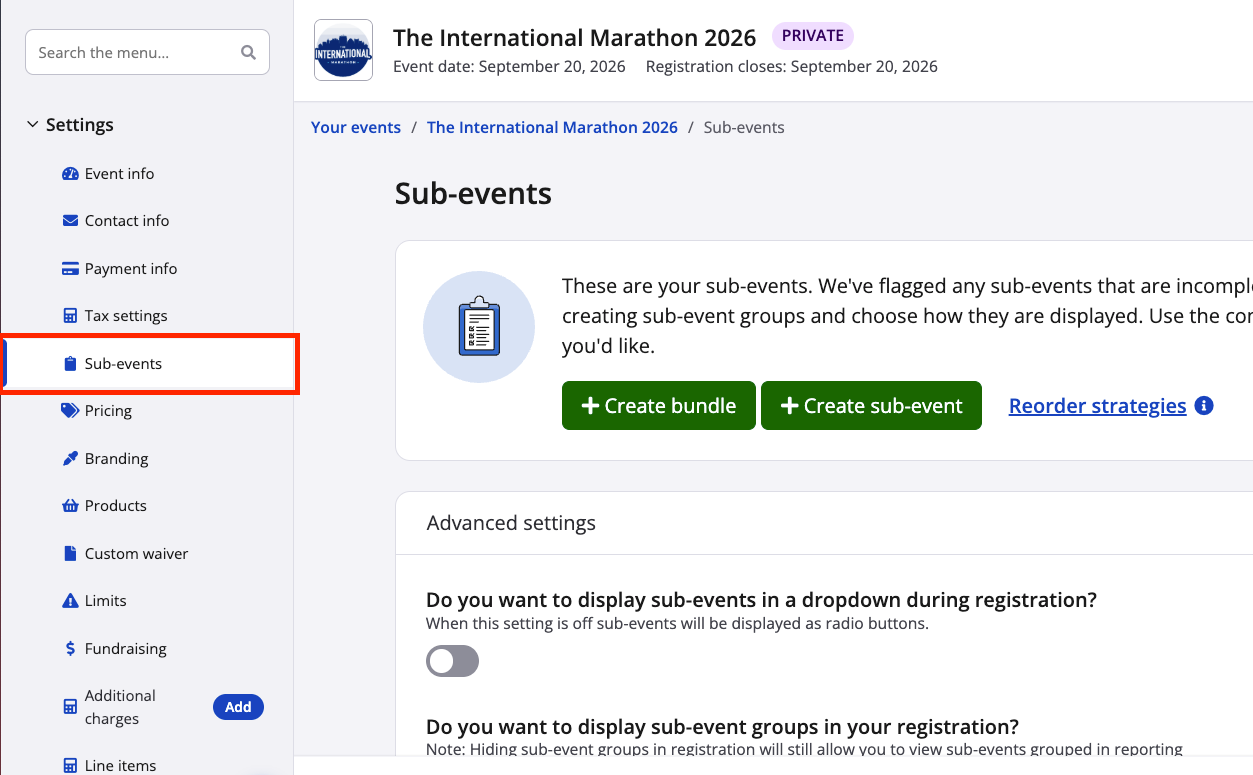
From your event dashboard, navigate to Settings > Sub-events. Screenshot follows.
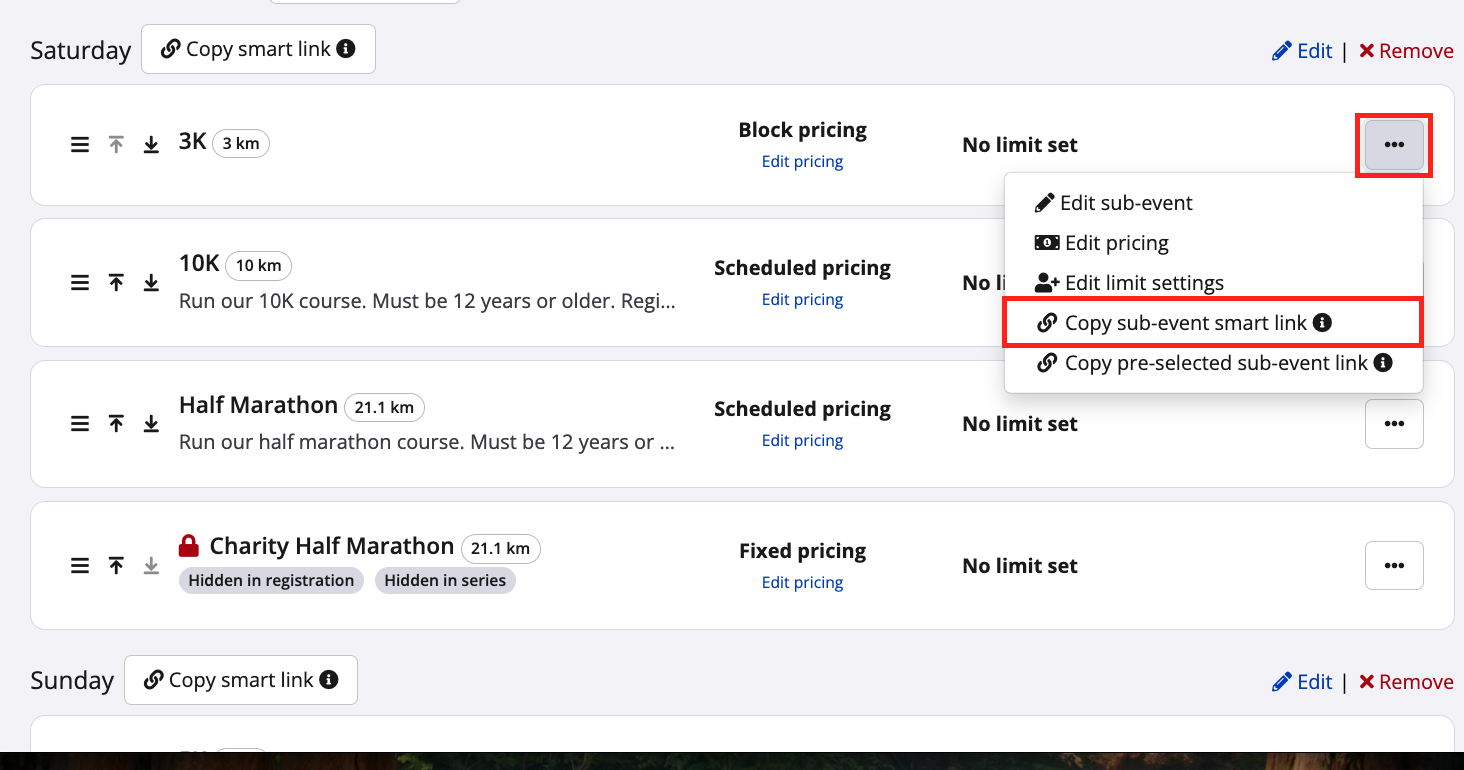
Once on the sub-events settings page, here’s where sub-event Smart Links appear (screenshots follows).
Notes:
- you may find each sub-event's Smart Link (whether standard or a bundle) within its corresponding "..." action button, as a dropdown menu option to copy it
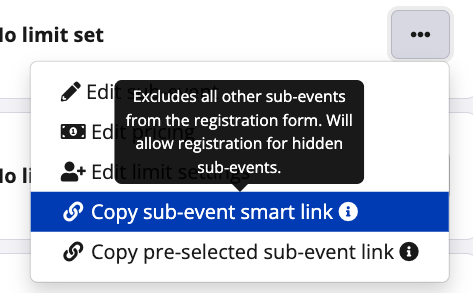
- by hovering over the "Copy sub-event smart link" menu option with the mouse, you will see a brief information bubble pop up, with details
- sub-event Smart Links should not be confused with pre-selected sub-event links (more details on this in an FAQ below)
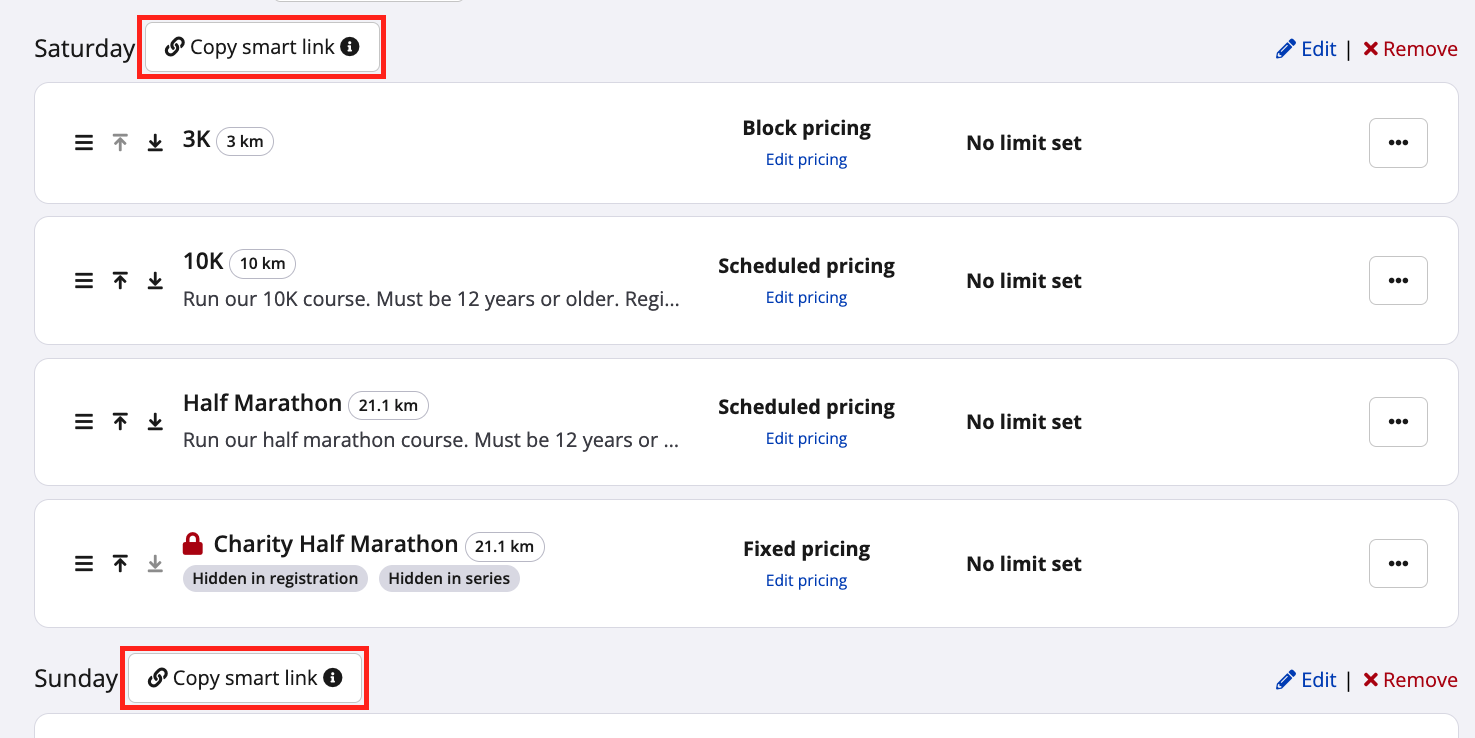
On the same page, here's where sub-event group Smart Links appear (screenshots follows).
Notes:
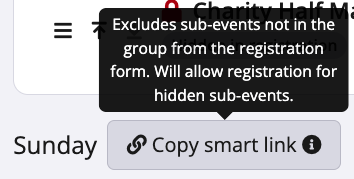
- you may find each sub-event group's Smart Link next to each group name, as a button to copy it
- by hovering over the "Copy smart link" button with the mouse, you will see a brief information bubble pop up, with details
FAQs about Smart Link behaviour in registration
Q: How exactly does a Smart Link modify my event registration form for users?
A: Please watch the following screen recording for a visual reference for sub-event and sub-event group Smart Links. Please note that, since recording this video, the appearance and exact location of the Smart Link copy buttons has changed. However, the end result in registration remains the same.
Q: How does the sub-event being enabled and/or visible affect the sub-event Smart Link?
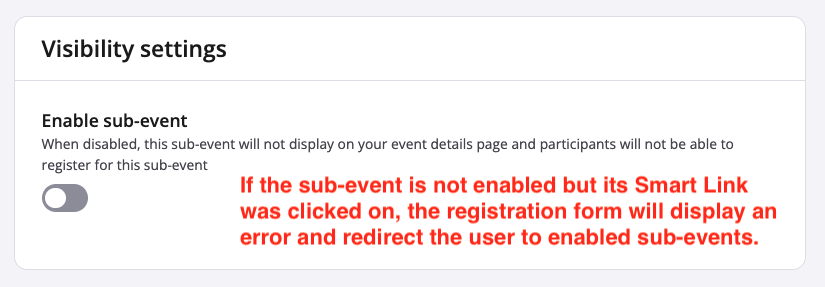
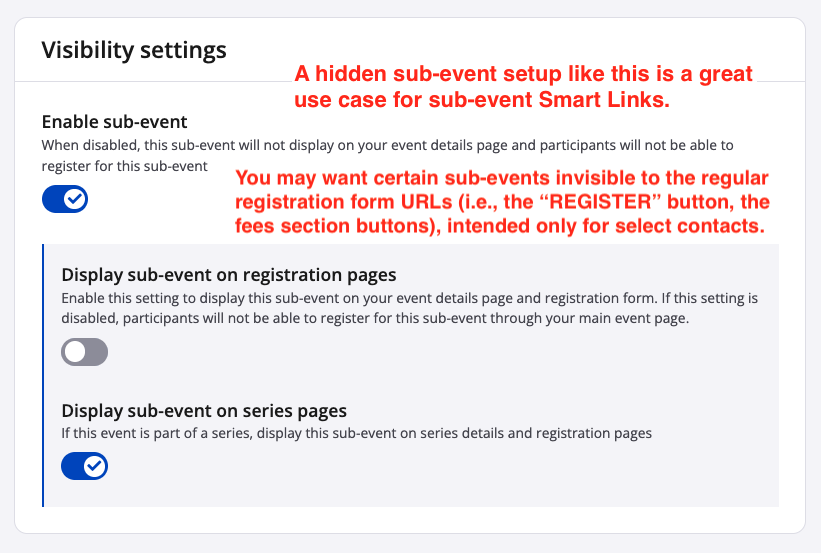
A: In order for a sub-event Smart Link to work as intended, that sub-event's “Enable sub-event” toggle must be turned on. However, Smart Links have been designed to override the “Display sub-event on registration pages” toggle, precisely so that hidden sub-events can be accessed via Smart Links. Read on to learn more.
Scenario 1:
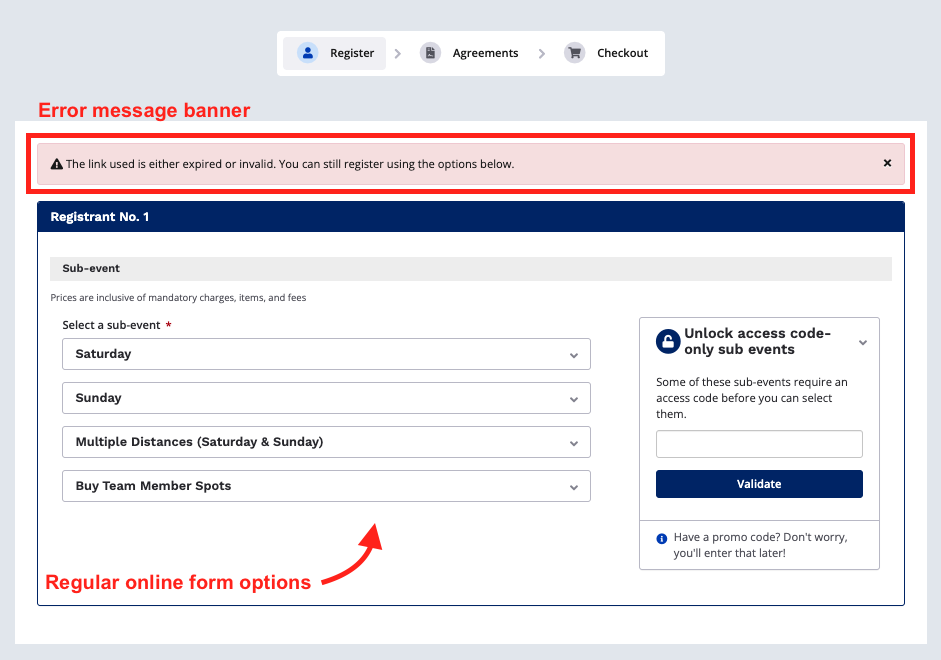
If the sub-event is not enabled (for example, it has become obsolete, so you turned this toggle off), but a user still located and clicked on the corresponding sub-event Smart Link (for example, from an old email), the user will see an error message banner in registration letting them know that the link is now expired. The registrant will be redirected to the regular registration form options.
Scenario 2:
Regardless of whether or not the "Display sub-event on registration pages" toggle is on for the sub-event, its Smart Link will still direct users to it in registration. A hidden sub-event is indeed a great use case for sub-event Smart Links, as you may want certain sub-events only viewable and accessible to select contacts but invisible in the registration form for everyone else.
Q: How does a Smart Link behave when it links to a sub-event that has since sold out or been deleted?
A: If the Smart Link is for a sold-out sub-event, or a sub-event group where all sub-events are sold out, or a since-deleted sub-event, registration will redirect the user. The user will still enter registration, where they’ll see a red warning message banner saying "The link used is either expired or invalid. You can still register using the options below." This is the same behaviour as in the previous FAQ, Scenario 1.
Q: Does using the Smart Link limit all registrants in the transaction to its modification?
A: Yes. After entering the registration form with the use of a Smart Link and completing all fields for Registrant No. 1, additional registrants will also be given the option(s) corresponding to that Smart Link.
Q: Does using the Smart Link cache or somehow lock the user into only accessing that sub-event or sub-event group?
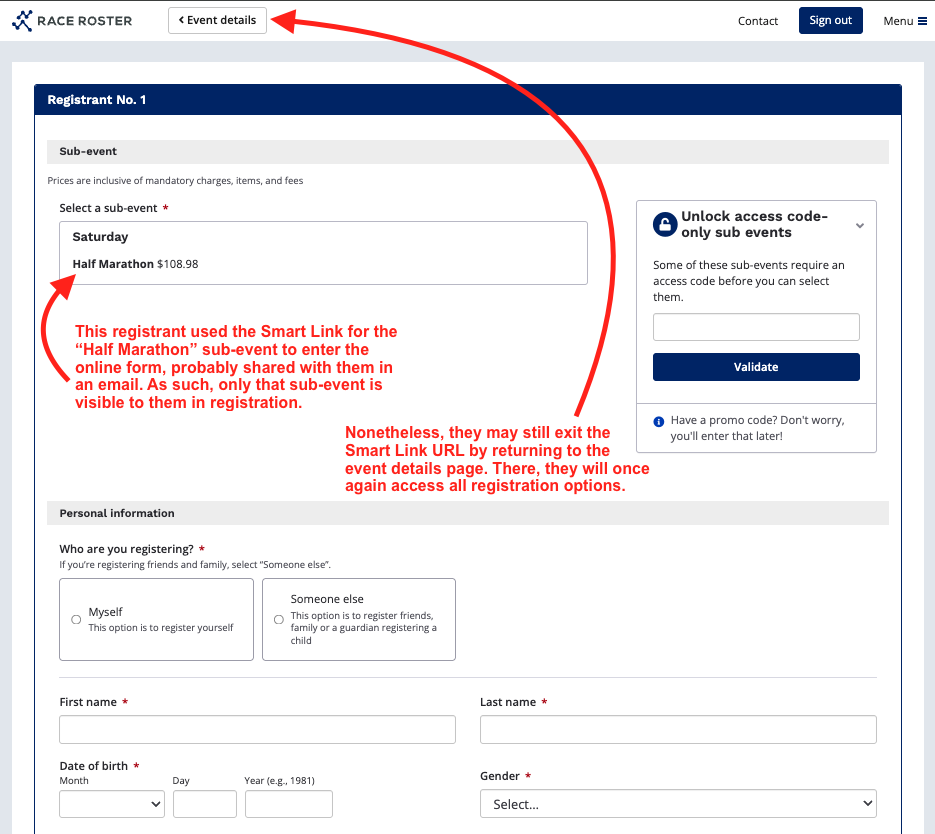
A: No. The button to return to the event details page will still be visible. If the user exits the Smart Link URL and then re-enters registration, all enabled sub-events and sub-event groups will be visible again.
Q: How does the pre-selected sub-event link differ from a Smart Link?
A: The pre-selected sub-event link is built as follows:
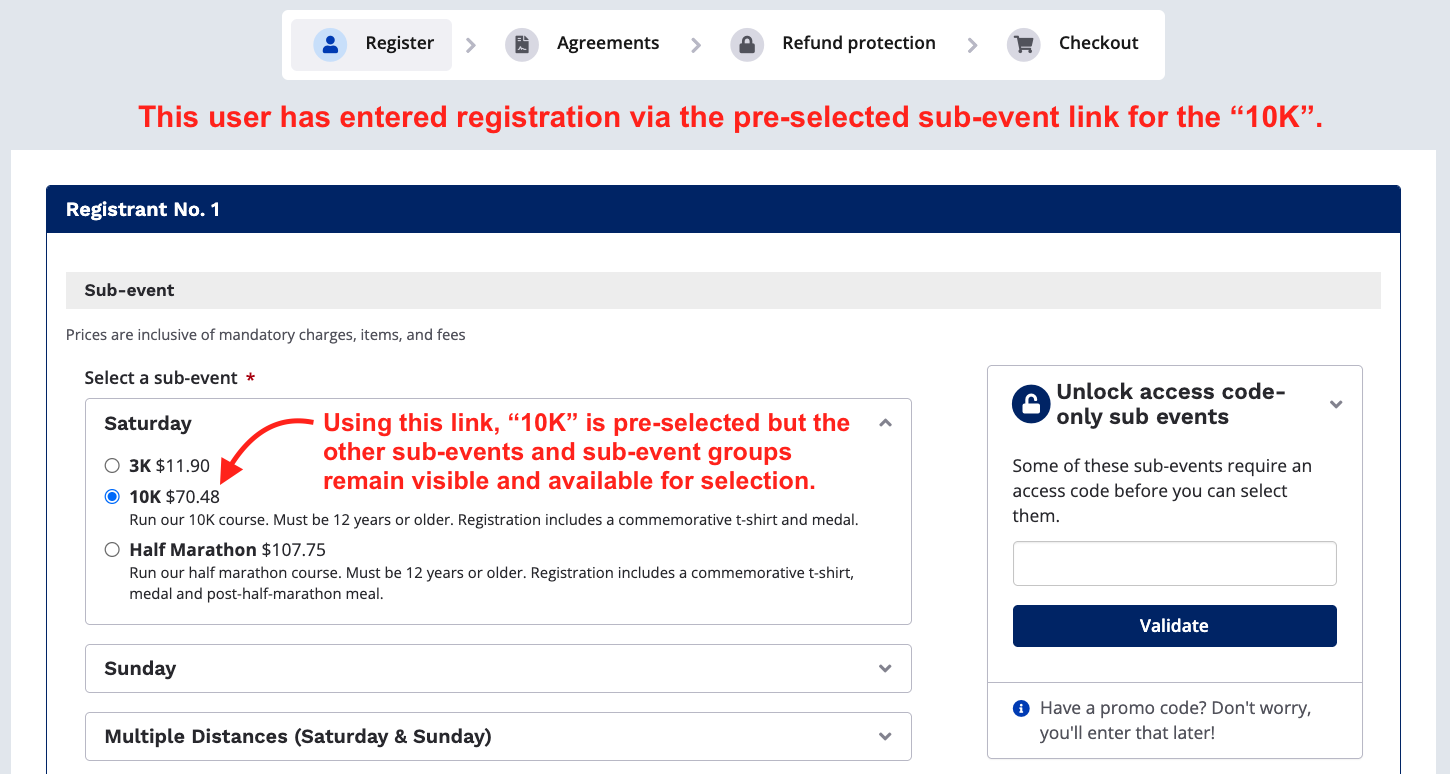
When a user follows that link—and the sub-event is not hidden—the sub-event is pre-selected for them in registration. However, they can still see all other visible sub-events and sub-event groups, if applicable, to allow for a change in selection without needing to exit the form.
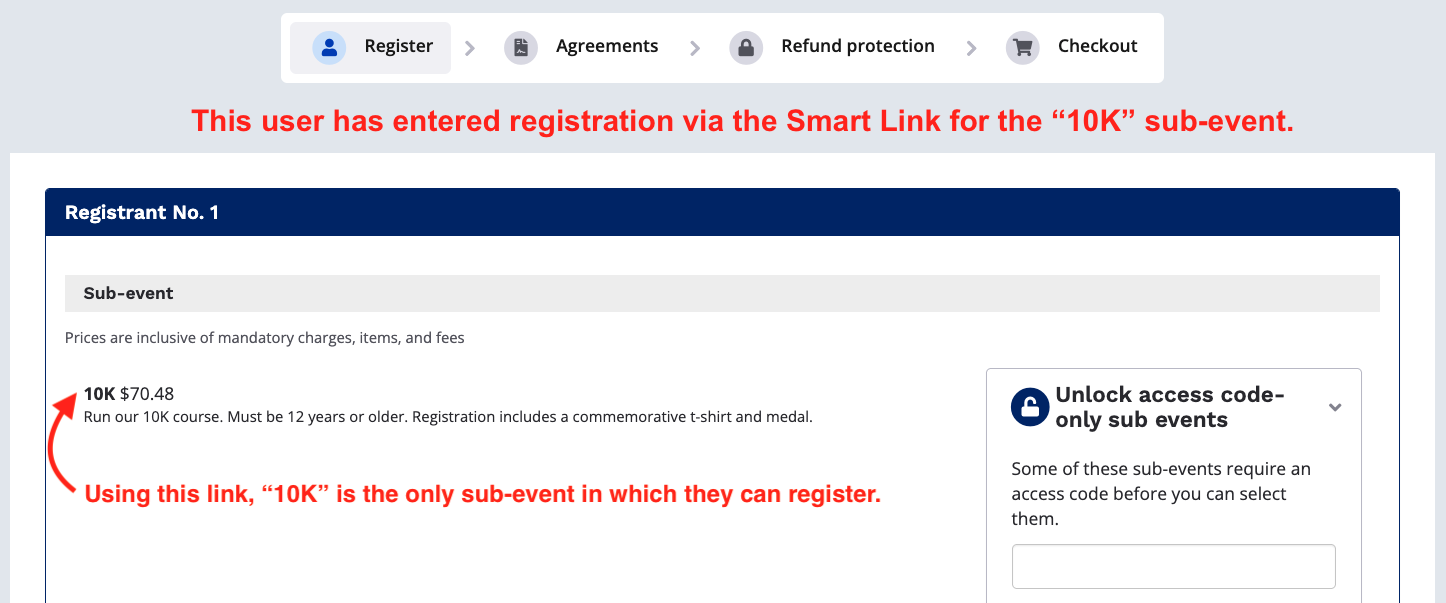
By contrast, following a sub-event Smart Link will result in the user only viewing the intended sub-event.
See screenshots below for a visual difference.
If you as an event organizer have further questions regarding Smart Links, please email us at director@raceroster.com (director@raceroster.com.au).