The campaign recipients feature will allow event organizers to view, export, and manage recipients of their campaigns.
View campaign recipients list
1. Login to your dashboard
2. Navigate to the left hand side and click Management
3. Click Email Campaigns
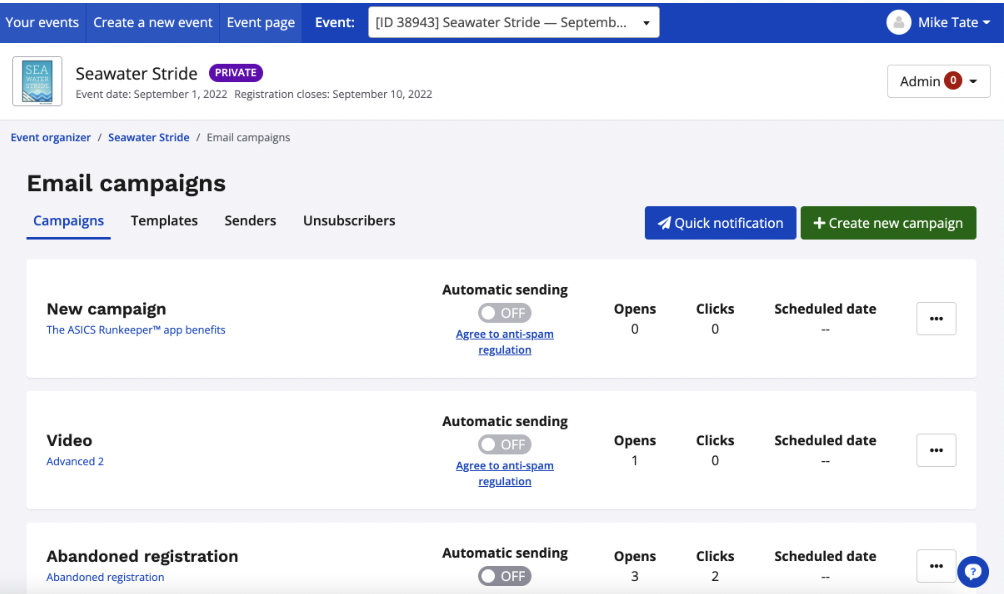
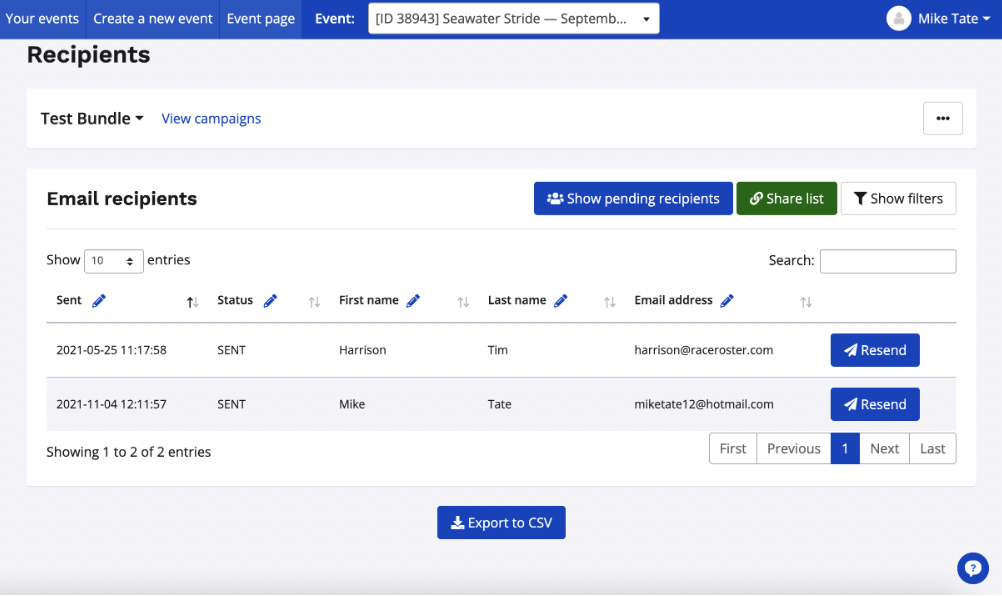
4. Navigate to the campaign you would like to view and then navigate to the right of the table. Click the advance options button and select recipients.
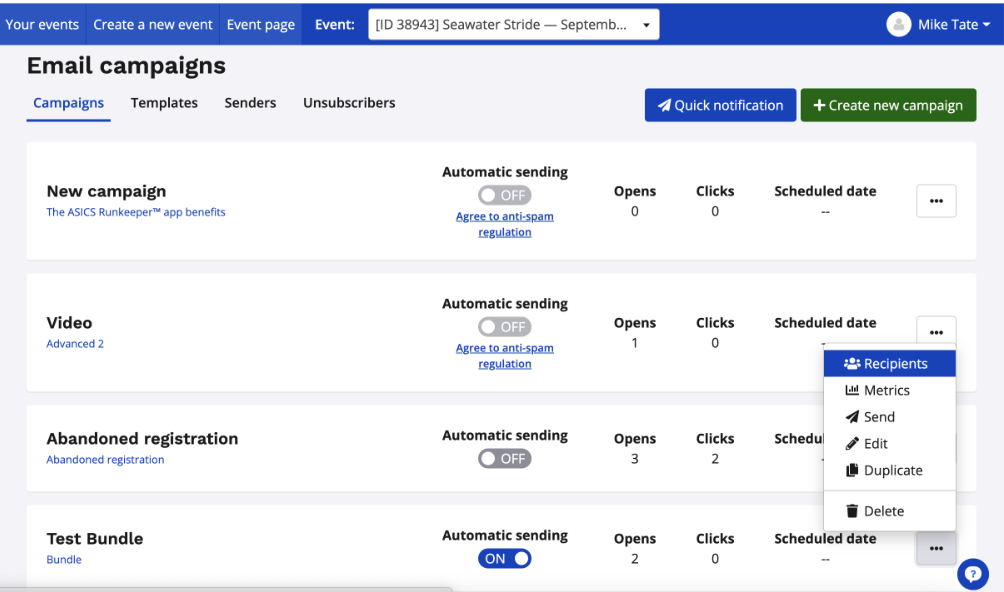
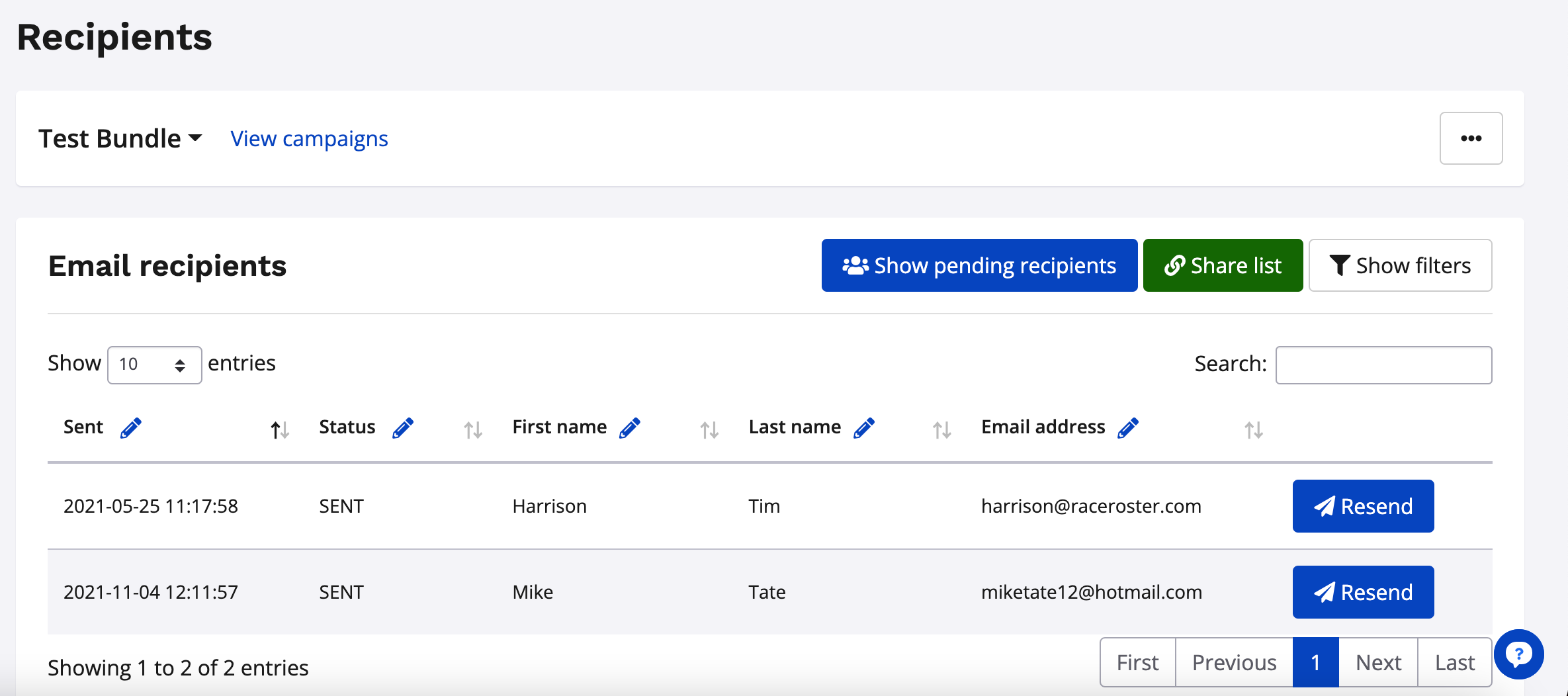
5. View your current recipient list, which includes:
- Campaign sent date
- Status (i.e. Sent, Bounced, etc.)
- First name
- Last name
- Email address
Customize the list view
1. Navigate to the right and click Show Filters
2. Select from a variety of options
Customized view
- Status
- Timeline
- Sent start and end date
Recipient data
- Date format
- Participant information
- Participant ID
- Sub-event
- First name
- Last name
- Sex
- Birthday
- Contact information
- Email address
- Phone number
- Address
- City
- State/province
- ZIP/postal code
- Country
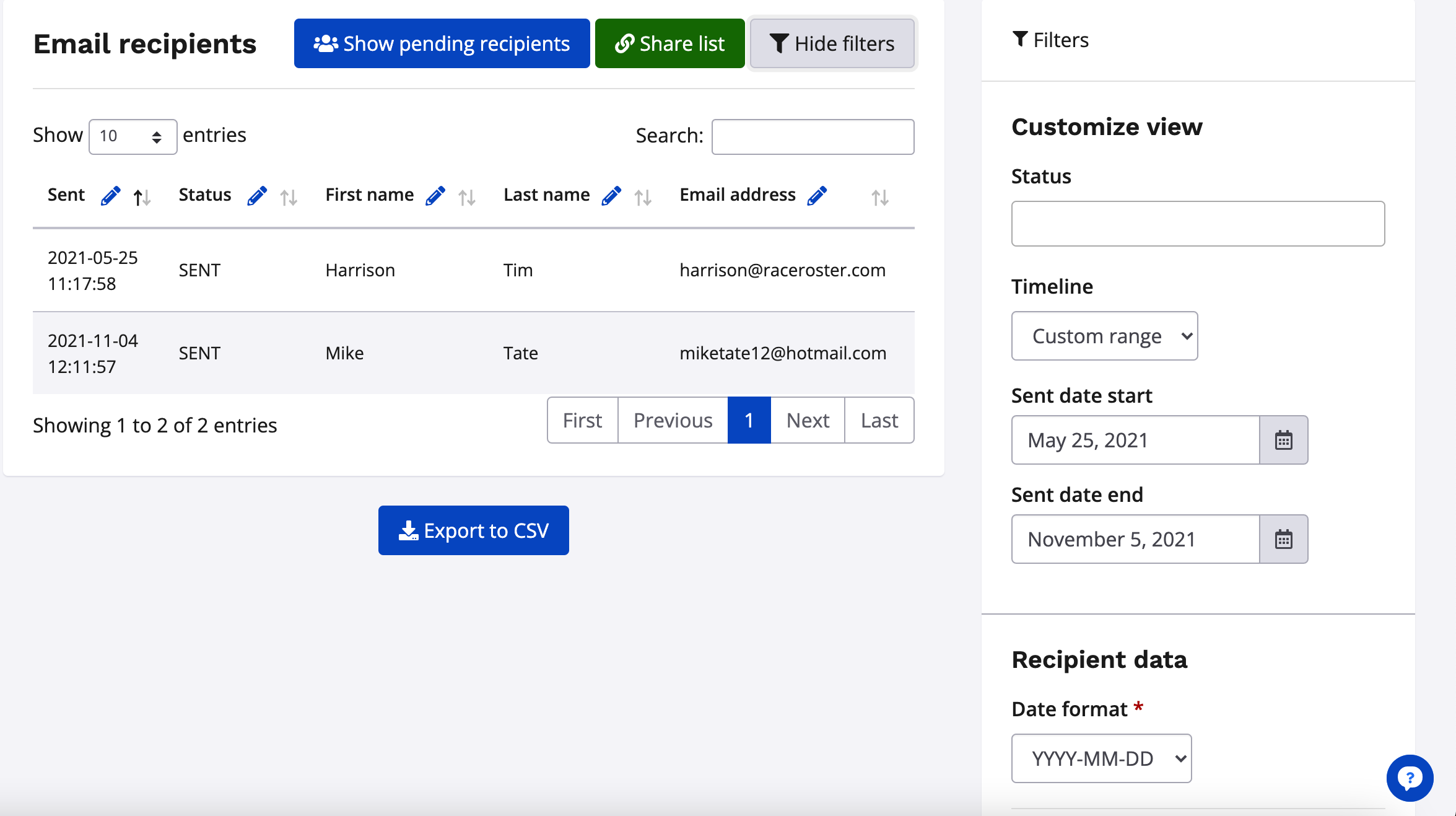
3. Click apply filters to view your new list view
Export the campaign recipient list
1. Navigate to the bottom of the page and click Export to CSV
Pro Tip:
If you are interested in exporting the recipient list with specific header names, just use the edit pencil to update the list headers!