The email campaign tool is designed for event organizers to send mass communications to contacts on the participant, donor and volunteer lists—right from their Race Roster event dashboard. A type feature has been added to the email campaign creation process. This feature prompts event organizers to classify each campaign as either Transactional or Promotional.
In compliance with applicable legislation, a contact who has received a Promotional email campaign has the option to unsubscribe from all such campaigns coming out of the event—indeed, these campaigns constitute marketing content. Conversely, a contact who has received a Transactional email campaign will not have the option to unsubscribe. These campaigns contain essential information on the contact's registration or donation, and thus are not considered marketing content.
By distinguishing the two types, contacts such as participants continue receiving key pre-event day information even if they choose not to receive promotional offers.
Let's take a closer look:
When creating an email campaign, the Set up step prompts event organizers to identify the campaign as Transactional or Promotional.
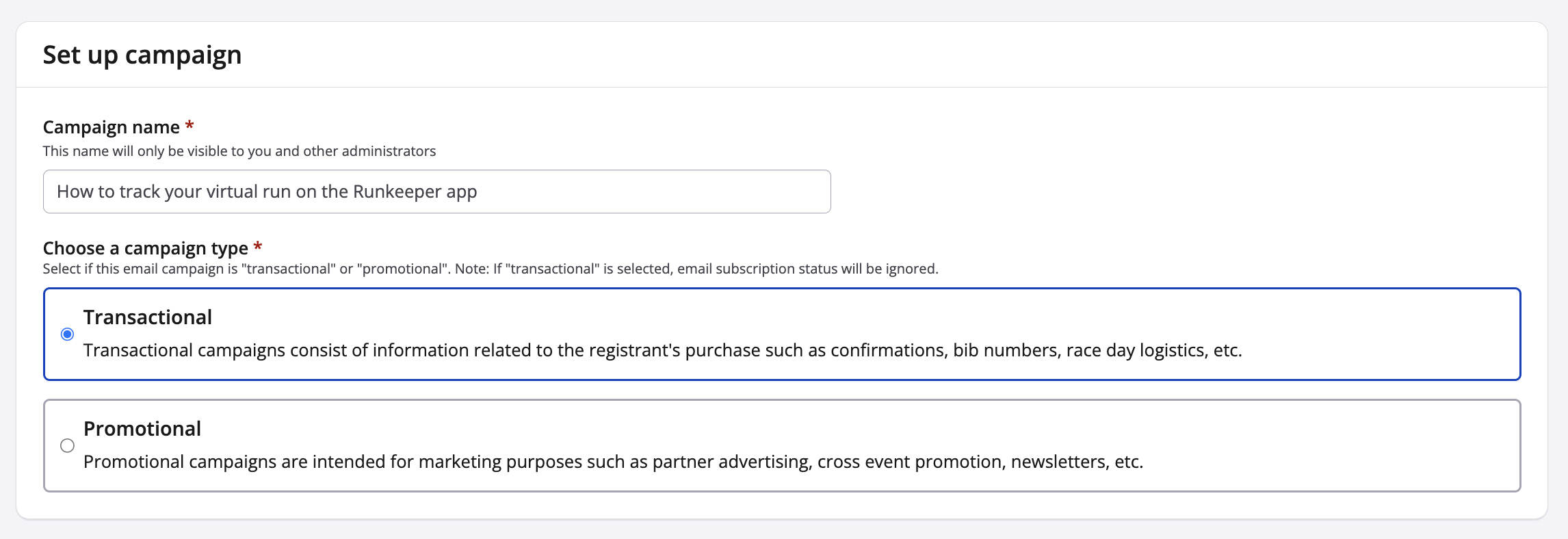
Transactional emails are the core function of the event email campaign tool. They communicate logistical information such as packet pick-up details, QR or bar codes for check-in, instructions for successful fundraising or virtual result submission, volunteer tasks, and donor thank-yous. They are part of delivering the service promised upon during the transaction.
Promotional emails are an auxiliary function of the email campaign tool. They constitute marketing by seeking new, unsolicited transactions or communicating information beyond the necessary. Announcing a registration launch, warning about an upcoming price increase, promoting a third party's limited time offer, prompting for event merchandise purchases—all such email campaigns constitute marketing and should be categorized as "Promotional".
By separating email campaigns this way, a contact keeps the ability to later unsubscribe from one type, without sacrificing the other. Used correctly, the type feature allows event organizers to comply with regulations while simultaneously keeping participants, donors and volunteers informed.
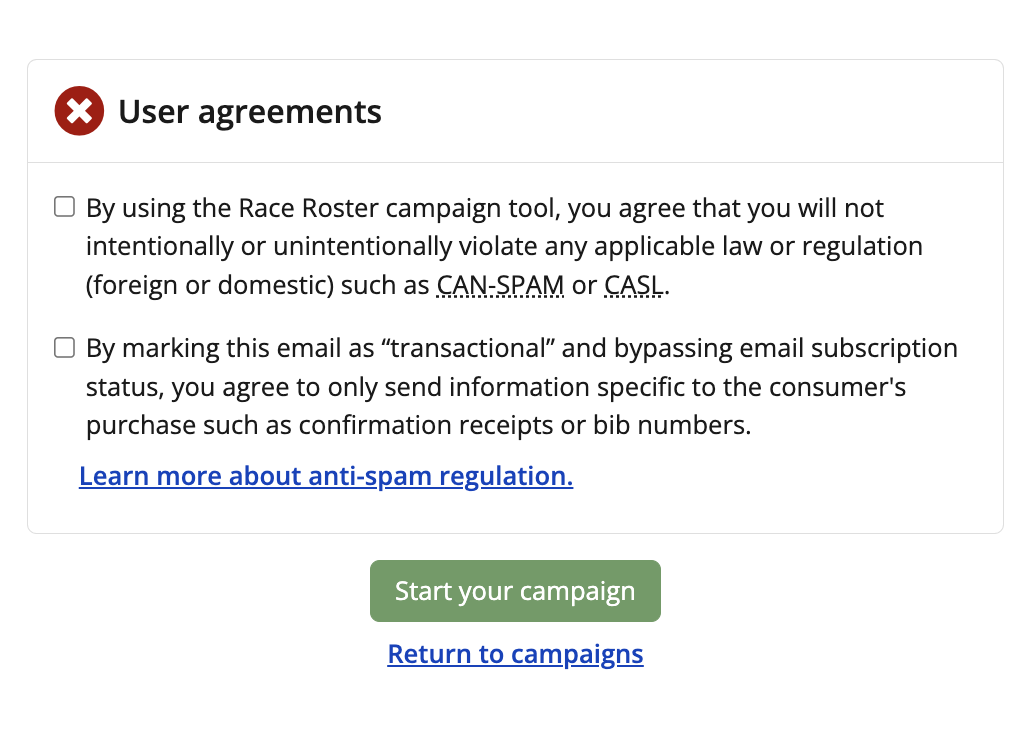
If an email campaign has been deemed Transactional, the Review step will prompt for an additional agreement. The event organizer may bypass the email subscription status only if the email campaign contains information directly relevant to the consumer's purchase, donation or transaction.
The chart below contains a summary of the concepts and provides examples.
Tables can't be imported directly. Please insert an image of your table which can be found here.
Campaign TypePurposeExamples- Registrant confirmations
- Donor thank-yous
- Abandoned registration emails
- Reminders or updates on products purchased and their delivery or pick-up options
- Reminders or updates on dates, start times, rules and procedures for event participation
- Instructions to edit fundraising page
- Instructions to submit virtual result or virtual challenge activities
- Bib number and corral assignment announcements
- Results announcements
- Fundraising achievement announcements
- Cancellation notices
- Sponsor or partner advertisements
- Donation requests
- Merchandise promotions with prompts for purchase
- Gift code promotions with prompts for purchase
- New event announcements with prompts for registration
- Promo code, group discount or limited-time pricing offers
- Business or organization newsletters sent from the email campaign tool